

For a Steam Machine on the couch, get the Logitech ERGO M575S. It's a trackball, so your thumb moves the cursor and the trackball itself stays put on the armrest or in your lap.
At a Glance#
Best overall : Logitech ERGO M575S View on Amazon
20-degree tilt, rechargeable : Logitech MX Ergo S
Small mouse for a lap desk : Logitech MX Anywhere 3S
Best for mouse-and-keyboard games : Logitech G305 LIGHTSPEED
Keyboard with a touchpad : Logitech K400 Plus
Key Highlights:
- The ERGO M575S is a thumb trackball you can use on any surface, and one AA battery runs it for up to 18 months
- The MX Ergo S adds a 20-degree tilt and a battery that lasts up to 120 days on a charge
- The MX Anywhere 3S is a small Bluetooth mouse for the armrest or a lap desk
- The G305 has a DPI button that speeds up the cursor on the mouse itself, and its shape suits either hand
- The K400 Plus is a keyboard with a touchpad, for logins, searches and menus
- Gaming Mode has no setting for mouse speed, which a DPI button on the mouse gets around
Who these mice are for#
- You want a mouse for the couch that stays put on the armrest or in your lap: get the ERGO M575S.
- You want a trackball with a tilt and a battery you recharge, or one you share with a PC: get the MX Ergo S.
- You'd rather use a small regular mouse on the armrest or a lap desk: get the MX Anywhere 3S.
- You play keyboard-and-mouse games, or you're left-handed: get the G305.
- You want a keyboard too: add the K400 Plus, whose touchpad covers menus and Desktop Mode.
How we picked#
We started with what people actually use with a Steam Machine or a Steam Deck in the living room: a trackball on the couch, a mouse on a lap desk and a keyboard with a touchpad. Desktop Mode on the Steam Machine is a standard Linux desktop, and Logitech lists Linux for the ERGO M575S, the MX Ergo S and the MX Anywhere 3S. Logitech doesn't list Linux for the G305 or the K400 Plus. We kept them anyway, because both work with a Steam Deck, and the K400 Plus with a Steam Machine too.
Mouse speed in Gaming Mode#
Gaming Mode has no setting for mouse speed, and the speed you set in Desktop Mode doesn't carry over, so the cursor can feel slow. In a game with no sensitivity setting of its own, that can make the mouse hard to use. One way around it is to set the speed in Desktop Mode and launch the game from there.
The easier fix is a mouse with a DPI button, because you change the speed on the mouse itself. The G305 has one. The ERGO M575S, the MX Ergo S and the MX Anywhere 3S set their speed in Logitech's Logi Options+ app, which runs on Windows and macOS, so in Gaming Mode their cursors can feel slow.
The five side by side#
| Pick | Type | Connects with | Power | Buy |
|---|---|---|---|---|
| Logitech ERGO M575S | Thumb trackball | Bolt receiver or Bluetooth | One AA, up to 18 months | View on Amazon |
| Logitech MX Ergo S | Thumb trackball, 20-degree tilt | Bolt receiver or Bluetooth | Rechargeable, up to 120 days | View on Amazon |
| Logitech MX Anywhere 3S | Small mouse | Bluetooth | Rechargeable, up to 70 days | View on Amazon |
| Logitech G305 LIGHTSPEED | Gaming mouse, DPI button | LIGHTSPEED receiver | One AA, up to 250 hours of gaming | View on Amazon |
| Logitech K400 Plus | Keyboard with touchpad | Unifying receiver | Two AA, up to 18 months | View on Amazon |
Logitech ERGO M575S — Best overall#
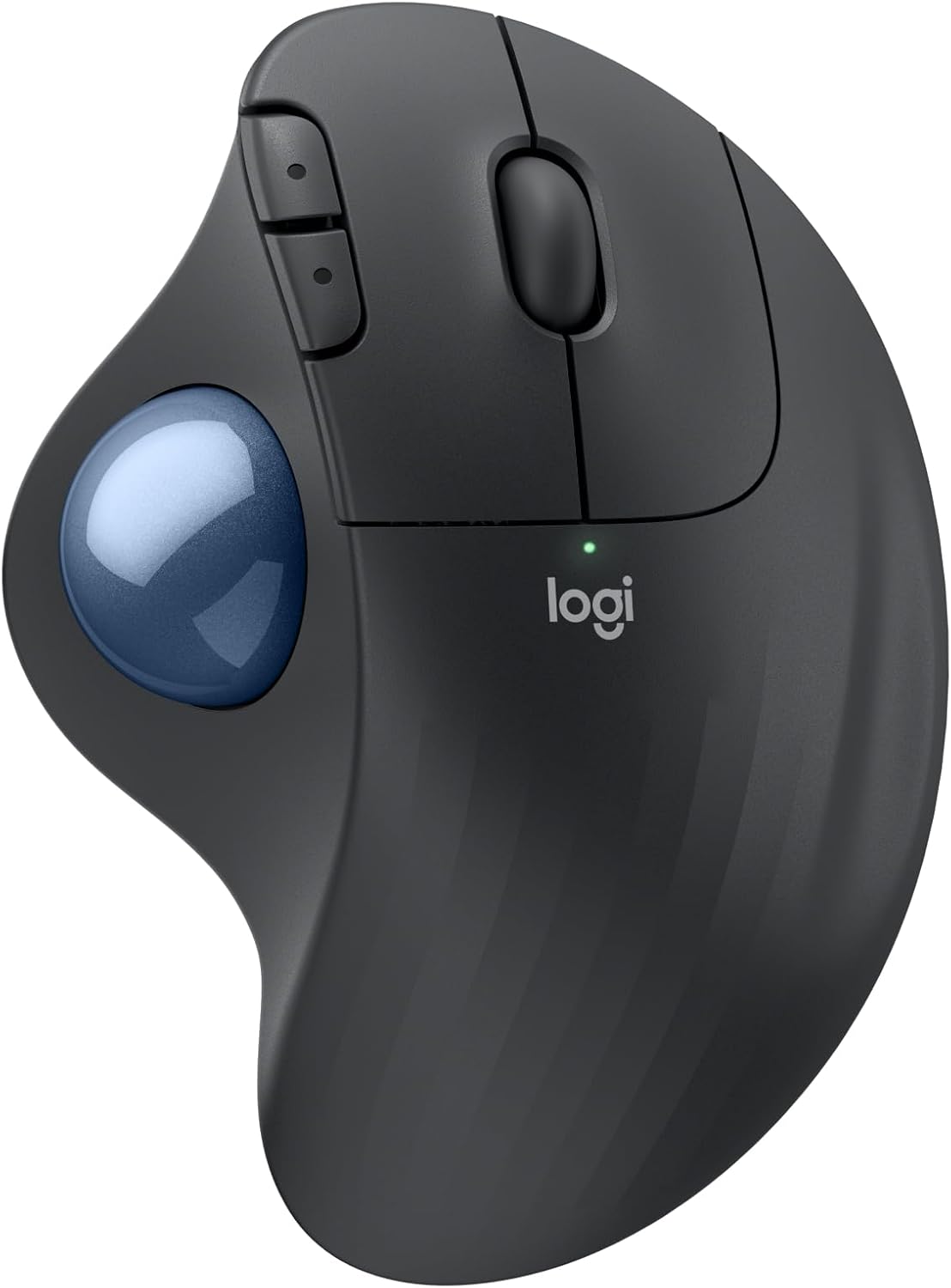
Your thumb rolls the ball and the trackball stays put, so it works on any surface: the armrest, a cushion or your lap. One setup that works well is the trackball on the arm of the couch and a keyboard on your lap.
It connects through the Logi Bolt receiver in the box or over Bluetooth, and one AA battery runs it for up to 18 months. A trackball takes a few days to a week to get used to, and it suits slower games better than competitive shooters. For those, get the G305.
It's for right hands only. It has no button to change its speed, which you set in Logitech's Logi Options+ app for Windows and macOS, so in Gaming Mode its cursor can feel slow. Moving it from the receiver to Bluetooth also means pairing it again, so keep it on the Steam Machine rather than sharing it with a PC.
Key Specs
Type : thumb trackball
Connection : Logi Bolt receiver in the box, or Bluetooth
Battery : one AA, up to 18 months
Speed : 100 – 2,000 DPI, set in Logi Options+
Hand : right
Weight : 145 g
Bottom line. A trackball for right hands that stays put on the couch and runs up to 18 months on one AA.
Logitech MX Ergo S — 20-degree tilt, rechargeable#
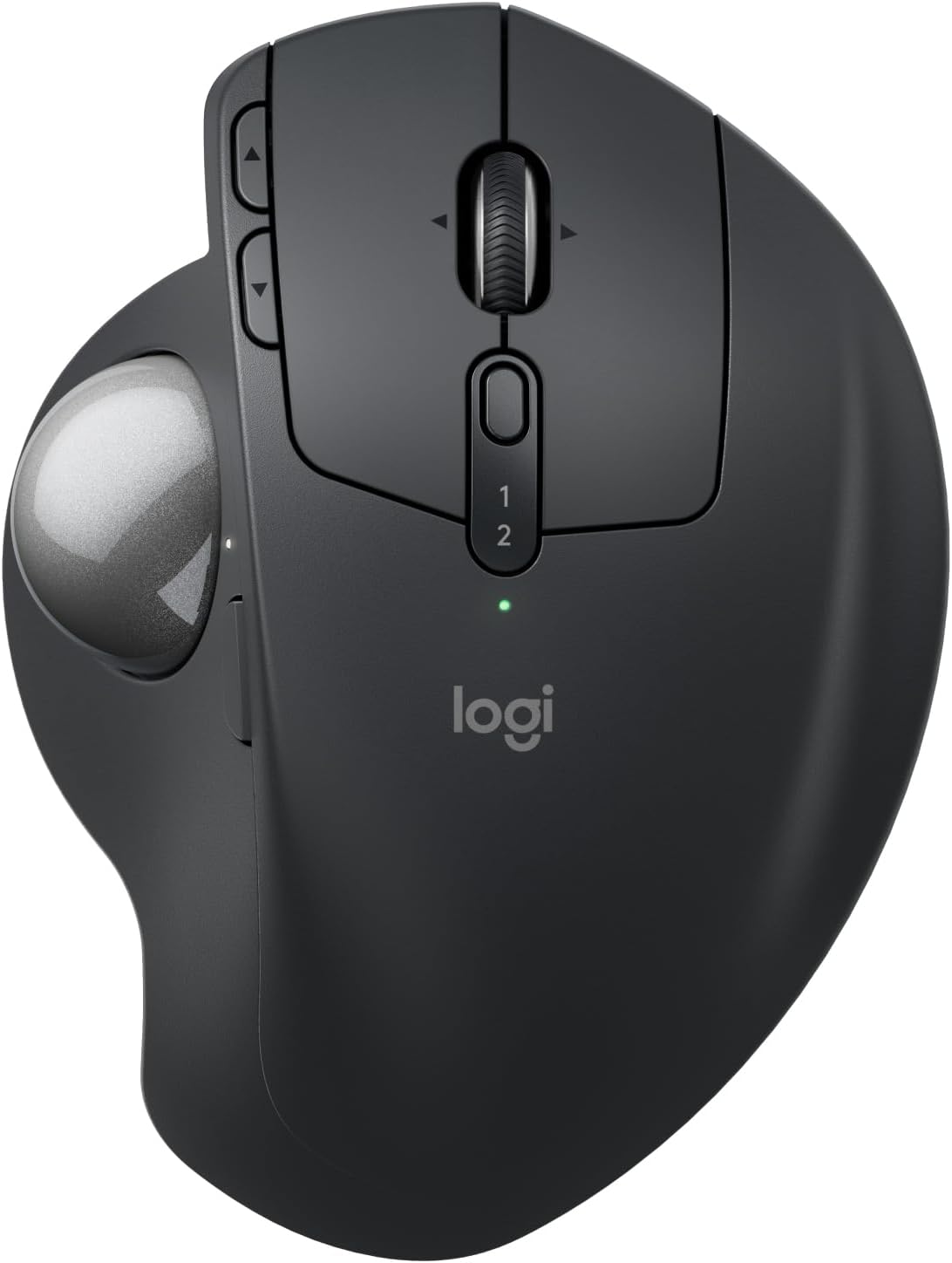
Get it if you want a trackball with a tilt, or one you share with a PC. Its 20-degree tilt angles your hand, and its Easy-Switch button moves it between 2 devices. It connects through the Logi Bolt receiver in the box or over Bluetooth.
Its precision button slows the cursor down for fine work but can't speed it up, so in Gaming Mode its cursor can feel slow, as on the M575S. A full charge lasts up to 120 days, and a minute of charging gives up to 24 hours of use, but you need your own USB-C cable to charge it.
Like the M575S, it needs no mousepad, which is handy in the living room. It's made for right hands, medium to large.
Key Specs
Type : thumb trackball, 20-degree tilt
Connection : 2 devices, over Bluetooth or the Logi Bolt receiver in the box, Easy-Switch button
Battery : rechargeable, up to 120 days per charge
Buttons : 8, including a precision button
Hand : right, medium to large
Cable : USB-C, bring your own
Bottom line. The trackball with a tilt and a battery you recharge.
Logitech MX Anywhere 3S — Small mouse for a lap desk#
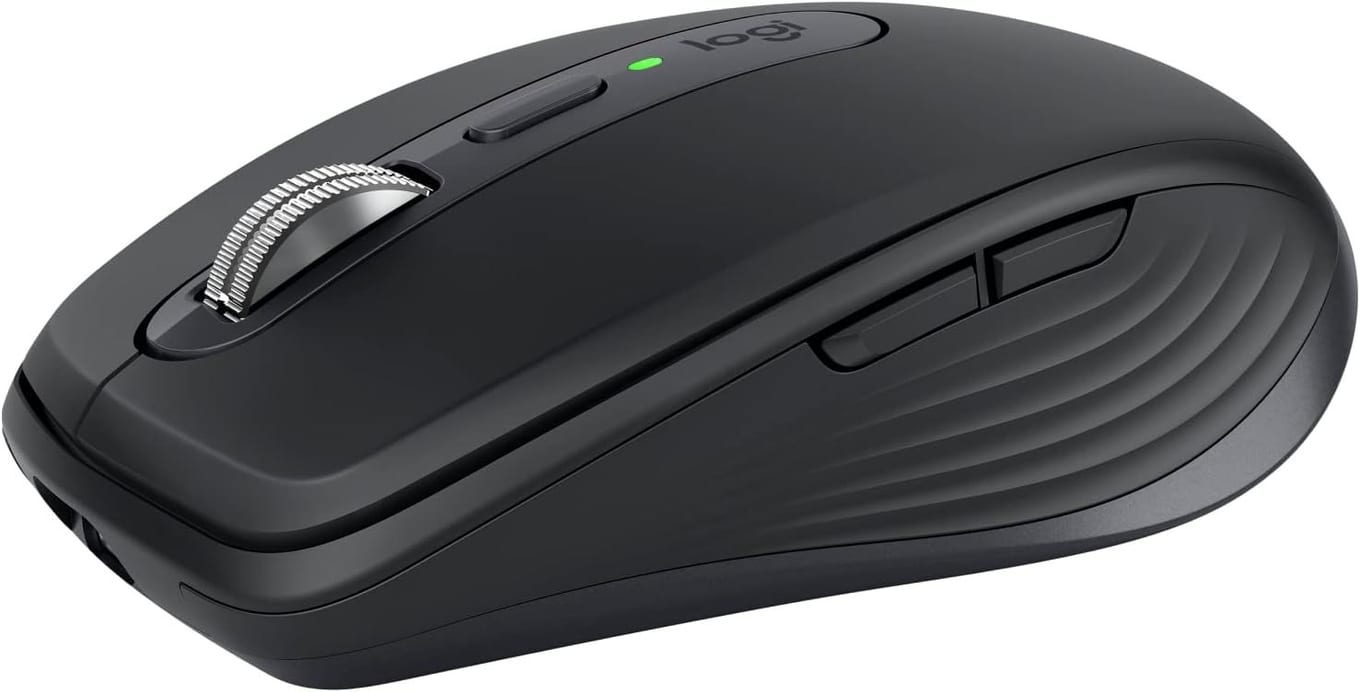
Get it if you'd rather have a regular mouse and something to rest it on, like the armrest or a lap desk. It weighs 95 g and works on any surface, even glass.
It connects over Bluetooth, which the Steam Machine has built in, and pairs with up to 3 devices. The Logi Bolt receiver is sold separately. Logitech's Logi Options+ app, which remaps its thumb buttons, doesn't run on the Steam Machine, though.
Like the M575S, it has no button to change its speed, so in Gaming Mode its cursor can feel slow. It recharges over USB-C and lasts up to 70 days on a charge.
Key Specs
Type : small mouse
Connection : Bluetooth, up to 3 devices, Logi Bolt receiver sold separately
Battery : rechargeable, up to 70 days
Sensor : 400 – 8,000 DPI, set in Logi Options+
Hand : right
Weight : 95 g
Bottom line. A small Bluetooth mouse for the armrest or a lap desk.
Logitech G305 LIGHTSPEED — Best for mouse-and-keyboard games#
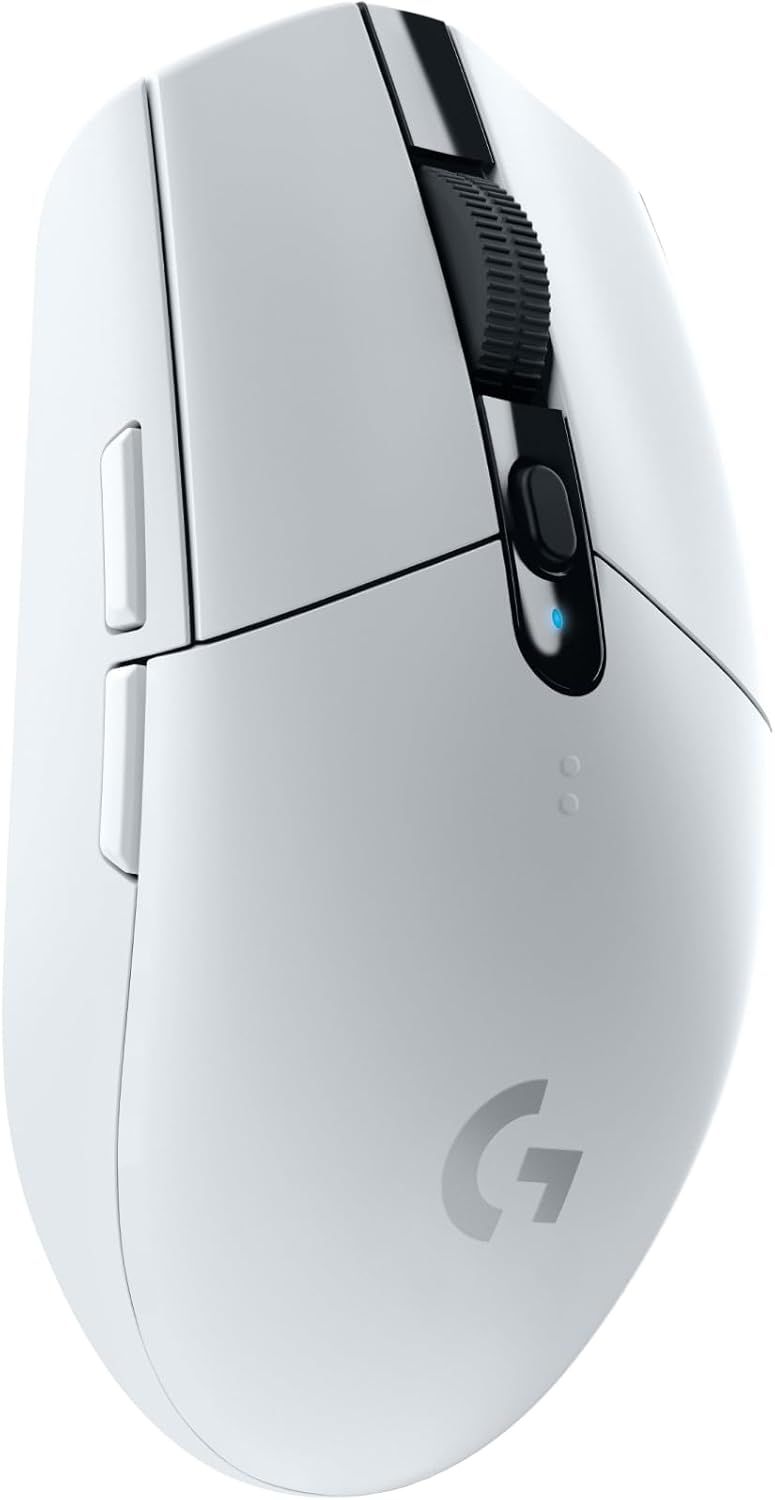
Get it if you play keyboard-and-mouse games on a lap desk. Its DPI button steps the cursor speed up on the mouse itself, which helps in Gaming Mode.
It connects through its LIGHTSPEED receiver, which stores inside the mouse, and it has no Bluetooth. One AA battery gives up to 250 hours of gaming, and its shape suits either hand, though its two side buttons sit on the left.
Logitech doesn't list Linux for it, but it works with a Steam Deck through its receiver. Opinions are split on how long it lasts, and on some mice the left button starts to double-click.
Key Specs
Type : wireless gaming mouse
Connection : LIGHTSPEED receiver, stored in the mouse
Battery : one AA, up to 250 hours of gaming
Sensor : HERO, 200 – 12,000 DPI, DPI button
Hand : either, side buttons on the left
Weight : 99 g with the battery
Bottom line. The mouse with a speed button, for games on a lap desk.
Logitech K400 Plus — Keyboard with a touchpad#
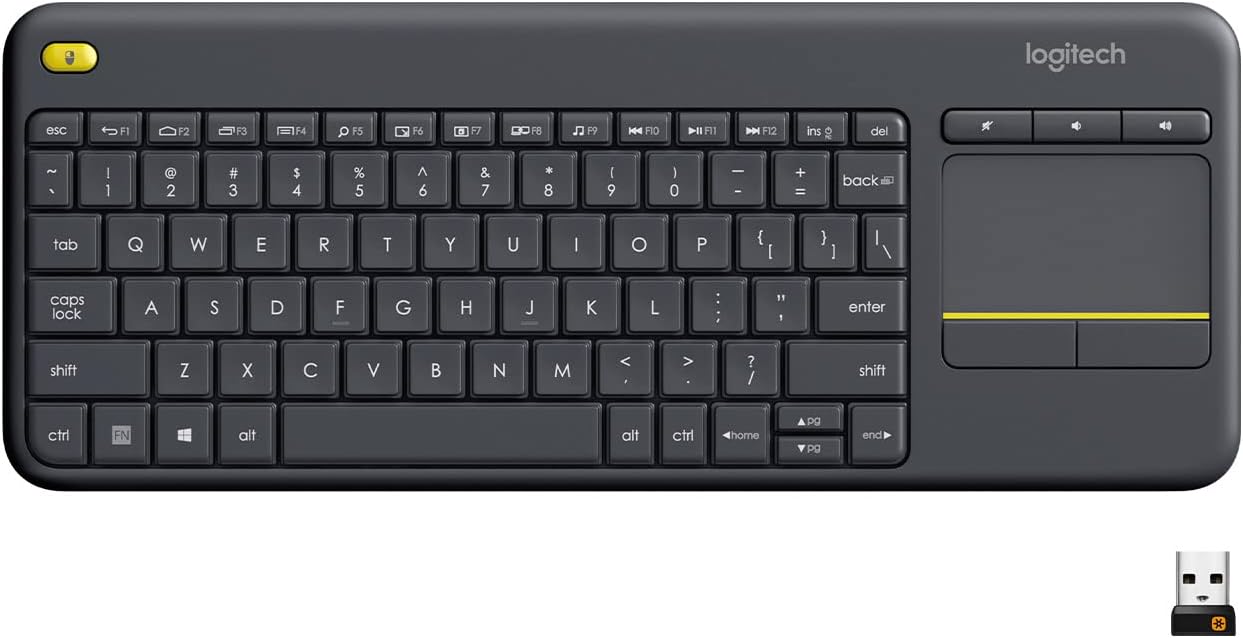
Add it for the times you have to type, like logins and searches, and for Desktop Mode. Its touchpad takes care of the menus too.
Plug the Unifying receiver into a USB port on the Steam Machine and it's ready. Two AA batteries last up to 18 months, and it reaches up to 33 ft.
It isn't great for typing at length, and people disagree on how long it lasts and on how quickly its touchpad responds. The left-click button in the corner is a nice touch, though. Want a different keyboard? Here are the best couch keyboards for the Steam Machine.
Key Specs
Type : keyboard with a touchpad
Connection : Unifying receiver
Battery : two AA, up to 18 months
Range : up to 33 ft
Weight : 380 g
Bottom line. A keyboard and touchpad in one, for logins, searches and menus.
Which one should you buy?#
The Logitech ERGO M575S is the mouse to get for a Steam Machine on the couch: it's a trackball you can use on any surface, and one AA battery runs it for up to 18 months.
Get the MX Ergo S instead if you want a tilt and a battery you recharge, or a trackball you share with a PC. Get the MX Anywhere 3S if you'd rather use a small regular mouse, and the G305 if you play keyboard-and-mouse games. Left-handed? Get the G305: its shape suits either hand, and the other three mice are made for right hands. Add the K400 Plus for logins and searches. Everyone else should get the M575S. View on Amazon
FAQ#
Does a mouse work with the Steam Machine?
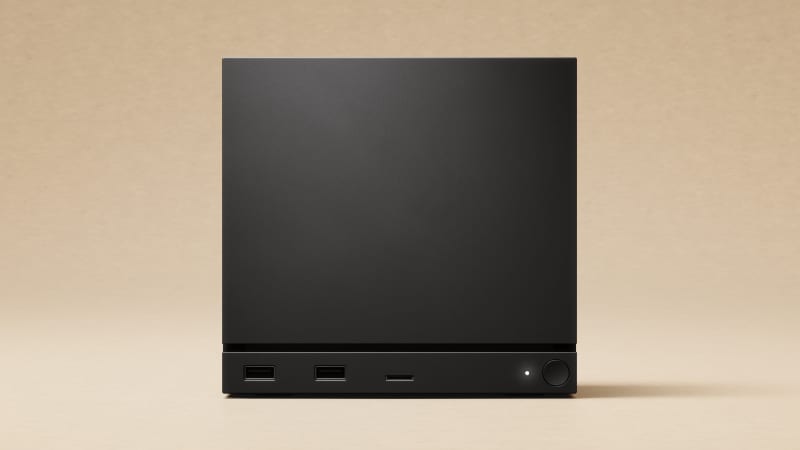
Yes. You can even set it up with a mouse and keyboard, and Desktop Mode is a standard Linux desktop. It has four USB-A ports for a receiver and Bluetooth 5.3 built in.
Why is the mouse slow in Gaming Mode?
Gaming Mode has no setting for mouse speed, and the speed you set in Desktop Mode doesn't carry over. A mouse with a DPI button, like the G305, lets you speed it up on the mouse itself. Another way around it is to set the speed in Desktop Mode and launch the game from there.
Can I use the Steam Controller instead of a mouse?
Yes. Hold the controller's three-dot button and the right trackpad works as a mouse.
Should I use the receiver or Bluetooth?
Both work. The receiver is plug-in-and-go, and Bluetooth leaves your USB ports free. If a receiver acts up, Valve's advice is to try it in each USB port, plug it straight into the Steam Machine rather than a hub, and unplug USB devices you don't need. If a Bluetooth mouse lags, disconnect and reconnect it, and if that doesn't help, forget it and pair it again.