

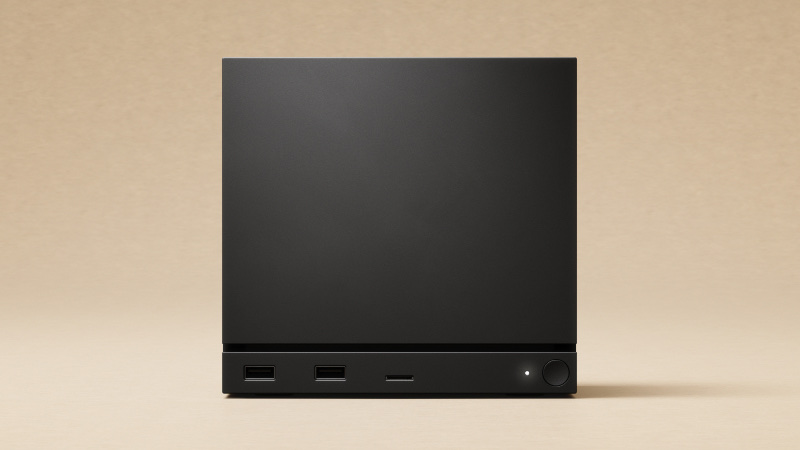
If you're adding storage to the Steam Machine, buy a bare 2230 or 2280 NVMe drive for the inside and a reliable A2 UHS-I card for the microSD slot. There's only one M.2 slot, so a bigger drive replaces the stock one rather than joining it. In the card slot, UHS-II and microSD Express cards are no faster than a good UHS-I card.
Internal SSD Slot: The Facts#
| Question | Answer |
|---|---|
| Slot type | Single M.2 NVMe |
| Sizes that fit | 2230 and 2280. The standoff has a position for each |
| Standoff | Already in the machine, and it moves between the 2230 and 2280 positions |
| Stock drive | 512 GB or 2 TB NVMe, in the 2230 size |
| User-replaceable? | Yes, it's a standard M.2 drive, but Valve doesn't recommend opening the machine, and damage from doing so isn't covered by the warranty |
| Second drive slot? | No. There's one slot, so upgrading means replacing the stock drive |
| Heatsink needed? | No. The stock drive comes out from under one screw, with no heatsink or pad to move |
How to do the swap#
We don't write teardown instructions, because good ones already exist:
- The physical swap is covered step by step, with photos, in iFixit's SSD replacement guide.
- New drive, fresh SteamOS. If you start with a blank drive, install SteamOS from Valve's SteamOS Recovery image. SteamOS won't copy your games across for you, so move them to a microSD card before the swap and back afterwards, or plan on signing in and downloading your library again.
You'll need a T8 Torx bit, a 5 mm nut driver if you're moving to a 2280 drive, a spudger or any slim flat tool, and a USB stick with the SteamOS recovery image on it.
microSD Slot: The Facts#
| Question | Answer |
|---|---|
| Slot standard | UHS-I, the same as the Steam Deck's |
| Real-world speed ceiling | About 100 MB/s, whatever the card is rated for |
| microSD Express cards (rated 800–900 MB/s) | They fall back to UHS-I speed, so the premium is wasted here |
| V90 / UHS-II cards | Expected to work, at UHS-I speed, so no benefit over a good UHS-I card |
| What actually matters | A reliable UHS-I card with an A2 rating and honest capacity |
| Max capacity | SDXC cards up to 2 TB are within spec |
| Can games run from it? | Yes, but they load slower than from the NVMe |
Rule of thumb: use the microSD slot for overflow, like older, smaller or less-played games. Anything you play every day belongs on the NVMe.
FAQ#
Do I need a PS5-style heatsink drive? No, that's a PS5 thing: Sony requires cooling on any M.2 SSD you add to a PS5. In the Steam Machine the drive comes out from under one screw, with no heatsink or pad to move, so buy a bare NVMe drive.
Will a 2242 or 2260 drive fit? Stick to 2230 or 2280. Those are the two positions the standoff is made for, and a 2242 or 2260 isn't one of them.
Can I add a second SSD instead of replacing the stock one? Not inside it. There's only one M.2 slot. You can replace the internal drive, add a microSD card, or plug a drive into the USB-C port on the back. If you replace the stock drive, an enclosure lets you reuse it. Here are the best NVMe enclosures for the Steam Machine.
Is the 512 GB model worth upgrading? If you keep running out of room, yes. Here are the best SSDs for the Steam Machine.