

Summary#
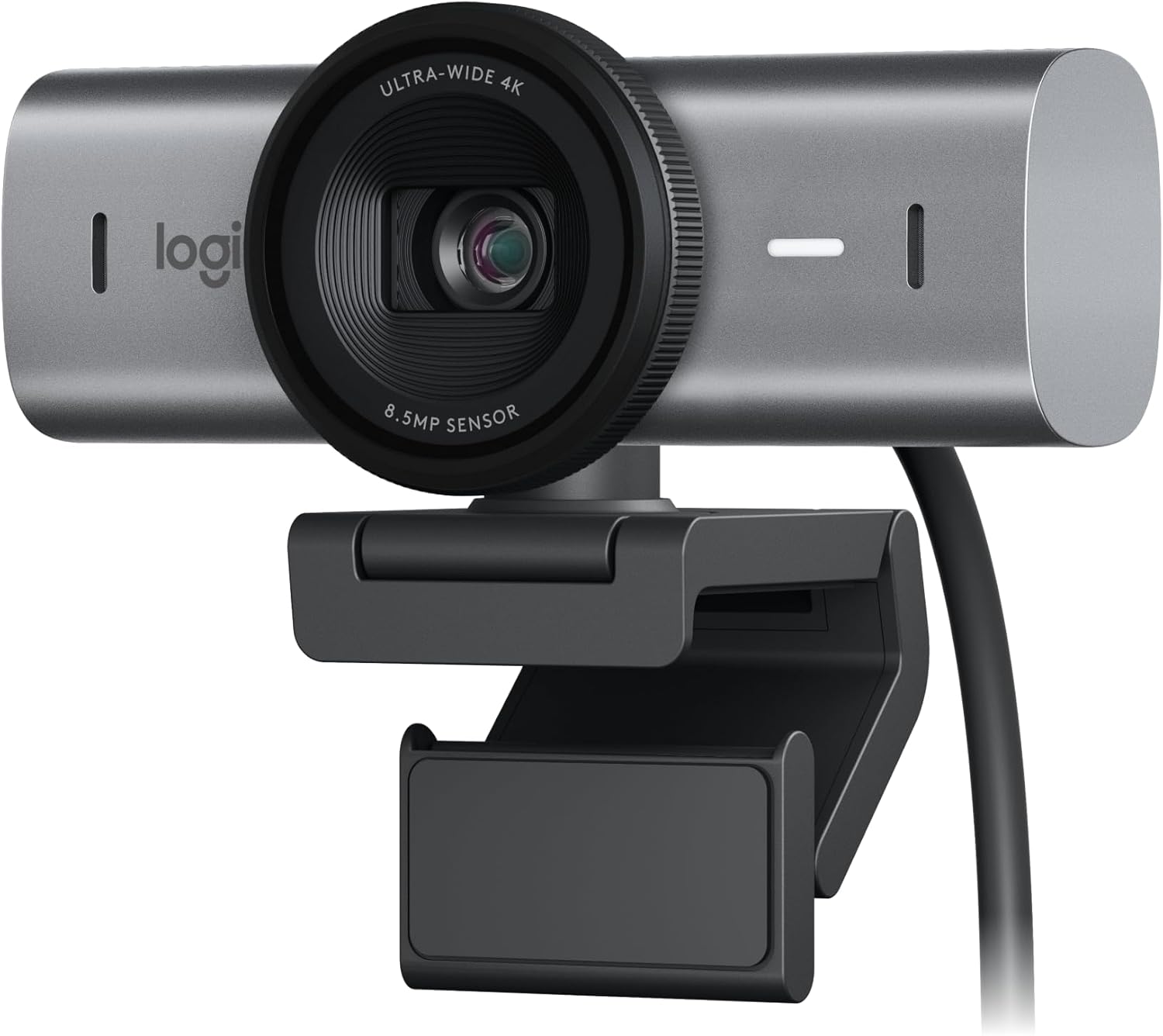
The Logitech MX Brio is a premium 4K Ultra HD webcam built around a large Sony STARVIS sensor, AI-driven framing, and dual noise-reducing microphones. It's the top-tier option for remote pros, streamers, and creators who want broadcast-grade video over a single USB-C cable.
At a Glance#
Product : Logitech MX Brio Ultra HD 4K Webcam
Brand : Logitech
Best For : Hybrid workers, video pros, and streamers who want broadcast-grade image quality without a dedicated camera rig
Form Factor : Aluminum-body USB-C webcam with integrated privacy shutter and adjustable mount
Buy Now : View on Amazon
Key Highlights:
- 4K Ultra HD at 30 fps and 1080p at 60 fps for sharp, smooth footage in any conferencing app
- Sony STARVIS image sensor with 70% larger pixels than the original Brio for cleaner low-light video
- AI-powered RightSight 2 auto-framing keeps you centered as you move
- Dual beamforming mics with noise reduction filter out keyboard clatter and room hum
- USB-C connection plus integrated privacy shutter for one-cable setup and peace of mind
Who Should Buy This#
The MX Brio hits a sweet spot for remote professionals and creators who have outgrown a 1080p webcam but don't want to fuss with a mirrorless camera, capture card, and HDMI dummy plug. It delivers true 4K, AI framing, and pro-grade mics in a single USB-C device that rivals setups costing $400-600 once you factor in cameras and accessories.
Perfect for:
- Remote-first knowledge workers who live in Zoom, Teams, and Meet and want to look noticeably sharper than the laptop crowd
- Streamers and YouTubers who need clean 4K source footage with reliable auto-exposure under ring lights and window light
- Sales and consulting pros who present to clients daily and want presence-mode features like Show Mode for desktop demos
- Hybrid managers running back-to-back calls in untreated home offices where the dual mics earn their keep
Design & Build Quality#
The MX Brio is machined from aluminum instead of the typical glossy plastic of webcam land, which is the first thing you notice when picking it up. The body has a satisfying density, the privacy shutter rotates with a precise click, and the included monitor clamp grips both ultrawide displays and thin laptop lids without sagging after a week of typing-induced vibration.
Cable management is genuinely thought through. The USB-C port sits on the back rather than dangling out the side, the included braided cable is long enough to route behind a monitor arm, and you can detach it entirely if you prefer your own length. A standard 1/4"-20 tripod thread on the base means you can ditch the monitor mount and put the camera on a desktop arm or boom stand.
Key Features#
True 4K with a Sony STARVIS Sensor#
The MX Brio captures real 4K Ultra HD at 30 fps (and 1080p at 60 fps for smoother motion) using a Sony STARVIS sensor with 70% larger pixels than the original Brio. In practical terms, that means cleaner footage in a typical home office at dusk and far less of the grainy, denoised mush that plagues most 1080p webcams when the sun goes down.
Skin tones land much closer to neutral out of the box, and the wider dynamic range handles a bright window behind you without blowing out the background or silhouetting your face.
AI-Powered RightSight 2 Auto-Framing#
RightSight 2 uses on-device AI to detect your face and keep you centered as you lean, stand, or move around the desk. It tracks smoothly enough that viewers don't notice the recomposition, and you can lock the frame manually for static streaming setups.
For sales calls and webinars, the result is a more cinematic feel without buying a PTZ camera. Pair it with the included Show Mode, which tilts the lens down to share whatever's on your desk, and you have a desktop demo rig built into the webcam.
Dual Beamforming Microphones#
The MX Brio packs two beamforming mics with built-in noise reduction. Keyboard clatter, room reverb, and ambient HVAC noise all get knocked down meaningfully compared to your laptop's mic array, which is enough to skip a separate USB mic for everyday calls.
For dedicated podcasting or streaming you'll still want a proper dynamic mic, but for Teams, Zoom, and Meet most days, the onboard audio is genuinely usable rather than just "fine in a pinch." Check current availability: View on Amazon
USB-C Plus Logi Options+ Tuning#
A single USB-C cable handles both 4K video and power, so there's no second wall wart cluttering the desk. The free Logi Options+ app exposes manual controls for exposure, white balance, field of view (65°, 78°, and 90°), HDR, and color presets, all of which are saved on the device once configured.
That last bit matters: the settings persist across reboots and across apps, so you don't have to retune every time you switch from a Teams call to OBS.
Show Mode for Desktop Demos#
A quick tilt of the lens flips the camera into Show Mode, which presents a corrected top-down view of your desk. It's purpose-built for demoing physical products, sketches, or hand-written notes during a call without juggling a second camera or a phone on a stand.
For teachers, consultants, and product folks, it's the feature that quietly justifies the price tag on its own.
Technical Specifications#
Resolution : 4K Ultra HD (3840 x 2160) at 30 fps; 1080p at 60 fps; 720p at 90 fps
Image Sensor : Sony STARVIS, 8.5 MP
Field of View : Adjustable 65°, 78°, or 90° diagonal
Focus : Auto-focus with face detection
Zoom : 4x digital with AI auto-framing (RightSight 2)
HDR : Yes, with auto exposure and color correction
Microphones : Dual beamforming with noise reduction
Connection : USB-C (USB 3.0 compatible cable included)
Privacy : Integrated rotating shutter over the lens
Mounting : Universal monitor clamp plus 1/4"-20 tripod thread
Compatibility : Windows 10/11, macOS 11+, ChromeOS; certified for Microsoft Teams, Zoom, Google Meet
Body : Aluminum housing, graphite finish
Pros & Cons#
Pros:
- Genuinely sharp 4K video that holds up at full screen, not just thumbnails
- Sony STARVIS sensor handles low light far better than typical 1080p webcams
- AI auto-framing keeps you centered without looking robotic or jittery
- Dual mics good enough to skip a separate USB mic for most calls
- Aluminum body and braided USB-C cable feel premium and survive desk life
- Show Mode adds a built-in document/product camera for demos
- Logi Options+ remembers your settings on the device across apps and reboots
Cons:
- Sits at the premium end of webcam pricing; overkill if you only need 1080p calls
- 4K maxes out at 30 fps; 60 fps gameplay capture requires dropping to 1080p
- Logi Options+ software is the only way to fully tune the camera and is Windows/macOS only
- Built-in mics, while solid, still can't match a dedicated podcasting mic for recorded content
Final Verdict#
Buy it. The Logitech MX Brio is the cleanest path to broadcast-grade video without building a mirrorless rig, and the combination of Sony sensor, AI framing, and Show Mode justifies the premium for anyone who lives on camera.
Our recommendation: Pair it with a desk-mounted monitor arm and skip the included clamp for a tidier setup. Grab one here: View on Amazon