

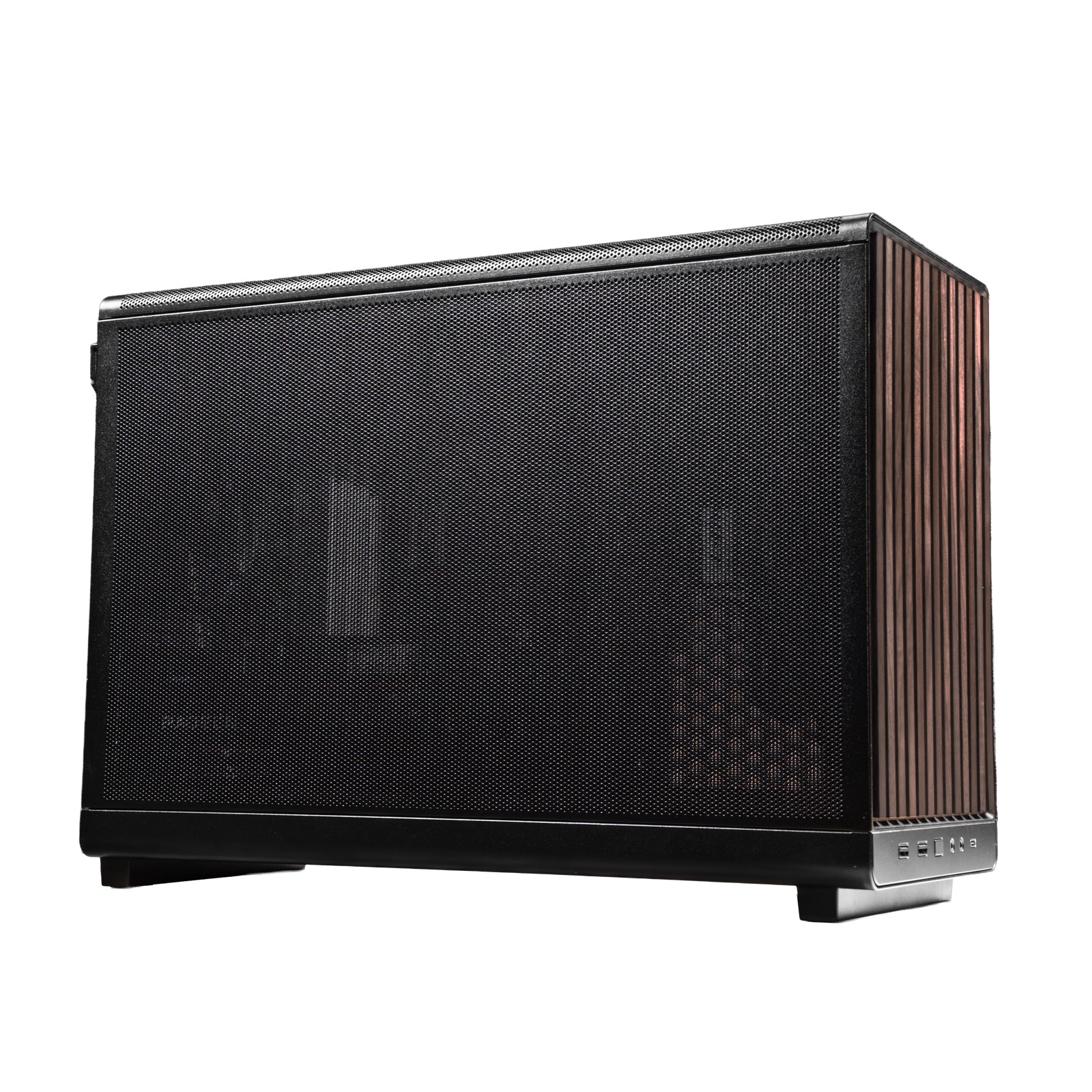
The STEAMROLLER v2 by META PCS is the first pre-built desktop that boots straight into SteamOS instead of Windows — but the best thing about it isn't the software, it's that underneath the console-style shell it's a completely normal, upgradeable PC. That means you can start with the base machine and grow it into a far more capable one over time, one part at a time. The upgrades we'd reach for first are more memory (a G.Skill Flare X5 kit), a bigger drive (the WD_BLACK SN770), and — the real leap — a stronger AMD graphics card like the Sapphire Pulse RX 7800 XT.
The logic is simple. The STEAMROLLER ships as a smooth 1080p machine, and two things decide how far you can push it: the 650W power supply, and the fact that it runs SteamOS (Arch Linux), where AMD graphics cards work plug-and-play and Nvidia does not. The roomy Lian Li A3 case is not the limit. Stay on AMD, respect the power budget, and you can climb from a solid 1080p box to a serious 1440p one. Here's how, in the order that makes sense.
Who this upgrade guide is for#
- New STEAMROLLER owners who want to know which upgrades are worth doing first.
- 1080p players who want to reach smooth 1440p without buying a new machine.
- SteamOS users who need parts confirmed to work on Linux, not just "compatible with Windows."
- Anyone who likes the idea of a console-simple box they can service and improve like a real PC.
How we picked#
- AMD graphics only. SteamOS ships AMD's Mesa drivers built in, so Radeon cards are plug-and-play; Nvidia means proprietary drivers and a broken gaming mode. Every GPU here is AMD.
- It fits this case. The Lian Li A3 clears graphics cards up to 415mm long and up to three slots thick with the stock bottom fans, coolers to 165mm, and ATX or SFX-L power supplies — so every pick physically installs.
- It respects the power budget. The stock 650W supply comfortably feeds a card up to roughly 265W; anything hungrier gets paired with a bigger supply, not wishful thinking.
- Proven gear. Each part is from a maker with a solid track record and a live listing, so you're not gambling on a no-name component.
First upgrades: memory and storage#
The cheapest, lowest-risk wins. Neither touches the graphics or power budget, and both make the machine nicer to live with from day one.
G.Skill Flare X5 DDR5-6000 (more memory)#
The STEAMROLLER ships with 16GB, which is fine until you keep a browser, a chat app and a game open at once. Doubling to 32GB smooths out frame pacing and lifts your 1% lows in demanding titles; 64GB is there if you lean on heavy multitasking or emulation. The Flare X5 kits carry an AMD EXPO profile, so a single BIOS toggle sets the rated speed with no manual tuning.
One buying note specific to this platform: get a two-stick EXPO kit, not four sticks — compact B650M boards often have just two DIMM slots, and two sticks also run at higher speeds more reliably. Don't mix them with the original memory.
Form factor : DDR5 U-DIMM, two-stick kit (AMD EXPO)
Best pick — 32GB : G.Skill Flare X5 DDR5-6000 CL30, the value sweet spot for gaming
Step up — 64GB : Same kit at 2×32GB for heavy multitasking or emulation
Bottom line. The easiest upgrade here. Two EXPO sticks take you to 32GB of smoother, faster memory for very little money. Get it now: View on Amazon — or the 64GB kit: View on Amazon
WD_BLACK SN770 2TB (more storage)#
Modern games are enormous, and a single 1TB drive fills fast. The STEAMROLLER has a second M.2 slot, so you can add a full-size 2280 NVMe drive without removing the original. The SN770 is a proven Gen4 drive that runs cool — it's single-sided, which helps in tight enclosures — and it ends the "uninstall something to install something" routine for good.
Type : M.2 2280 PCIe Gen4 NVMe SSD (second slot, keeps the original drive)
Why : Roomy, fast game storage without swapping out the boot drive
Best for : Anyone tired of the "storage full" warning
Bottom line. A cheap, cool-running way to more than double your library space. Check availability: View on Amazon
The biggest jump: swap the graphics card#
If you do one upgrade, make it this. The stock RX 7600 is built for 1080p; a stronger AMD card moves you to smooth 1440p. The 650W supply feeds a card up to roughly 265W, which covers everything below without touching anything else — pull the old card, seat the new one, done. Stay on AMD so SteamOS drives it with zero driver hassle.
Sapphire Pulse RX 7800 XT — best overall#
The card we'd pick. Its power draw sits right at the practical ceiling for the stock 650W supply, and it delivers excellent 1440p with 16GB of memory to spare for high-texture settings. For most owners this is the upgrade that redefines the machine.
GPU : AMD Radeon RX 7800 XT, 16GB GDDR6 (AMD RDNA 3)
Power : Around 263W — the sensible maximum on the stock 650W supply
Best for : The single upgrade that turns a 1080p box into a 1440p one
Bottom line. The one to buy if you only buy one. Excellent 1440p, fits the case, and stays inside the stock power budget. Get it now: View on Amazon
Sapphire Pulse RX 7700 XT — best value#
The gentler step up. It costs less and draws less than the 7800 XT while still being a real jump over the stock card — a strong choice if your target is high-refresh 1080p or entry 1440p.
GPU : AMD Radeon RX 7700 XT, 12GB GDDR6 (AMD RDNA 3)
Power : Around 245W, comfortably within the stock supply
Best for : The most affordable meaningful upgrade
Bottom line. A smaller outlay for a solid lift. Check it out: View on Amazon
Sapphire Pulse RX 9070 — most efficient#
The newest-generation option. Its RDNA 4 architecture delivers strong 1440p while drawing less power than you'd expect, leaving the most headroom on the stock supply and the best efficiency for the future.
GPU : AMD Radeon RX 9070, 16GB GDDR6 (AMD RDNA 4)
Power : Around 220W — the lightest load of the three, most supply headroom
Best for : Buyers who want the newest architecture and lowest draw
Bottom line. The efficient, future-minded pick that still leaves the 650W supply relaxed. See it here: View on Amazon
Going for the top card? Add a power supply#
Only one card here pushes past the stock supply's comfort zone: the flagship RX 9070 XT, which draws around 304W. Pair it with an 850W supply for quiet, stable headroom. The case takes both full-size ATX and compact SFX-L, so either fits.
Sapphire Pulse RX 9070 XT — the flagship#
GPU : AMD Radeon RX 9070 XT, 16GB GDDR6 (AMD RDNA 4)
Power : Around 304W — plan on an 850W supply
Best for : The most powerful card that still makes sense in this box
Bottom line. The top of the range, once you've given it the power it wants. See it here: View on Amazon
Corsair RM850e or SF850L — the power to feed it#
Both are fully modular, 80+ Gold, and quiet. Pick the RM850e if you want a standard full-ATX supply, or the SF850L if you prefer the compact SFX-L form factor — the Lian Li A3 accepts either.
Full-ATX pick : Corsair RM850e, 850W 80+ Gold, fully modular
Compact pick : Corsair SF850L, 850W SFX-L, fully modular
Bottom line. 850W of clean, quiet headroom for the flagship card. Full-ATX: View on Amazon — or compact SFX-L: View on Amazon
Maxing out: the processor#
The 9600X rarely holds back a 1440p machine, so this is the last upgrade to consider, not the first. But the STEAMROLLER's AM5 socket takes any Ryzen 7000/8000/9000 chip, so the ceiling is high. Swap is a drop-in; the 240mm liquid cooler handles a top chip, and newer boards usually already have the BIOS to accept it.
AMD Ryzen 7 9800X3D — best for gaming#
The 3D V-Cache design makes this the fastest gaming chip you can drop into this socket, and it pairs naturally with a big GPU upgrade if you want zero CPU bottleneck.
CPU : AMD Ryzen 7 9800X3D, 8-core AM5 with 3D V-Cache
Best for : Pure gaming performance at the highest frame rates
Bottom line. The gaming king for this socket, and a clean drop-in. Get it now: View on Amazon
AMD Ryzen 9 9900X — best all-rounder#
If you also edit, compile or stream, the 12-core 9900X trades some gaming edge for far more multi-threaded muscle.
CPU : AMD Ryzen 9 9900X, 12-core AM5
Best for : Gaming plus serious productivity work
Bottom line. More cores for people who do more than play. See it here: View on Amazon
Which upgrade should you do first?#
Start with memory — a 32GB EXPO kit is cheap and you'll feel it every session. Add the SN770 if your drive is filling up. But the upgrade that actually changes what the machine is capable of is the graphics card: for most people the RX 7800 XT is the sweet spot, delivering 1440p while staying inside the stock 650W supply. Only reach for the flagship RX 9070 XT — and the 850W supply that comes with it — if you want the absolute top. Leave the CPU for last; it's the least likely to be holding you back.
Do it in that order and the STEAMROLLER becomes your own hand-tiered Steam Machine — console-simple to use, but as powerful as you decide to make it.
FAQ#
Can I put any graphics card in the STEAMROLLER? : Physically, almost — the Lian Li A3 case clears cards up to 415mm long. Practically, stay with AMD Radeon cards. SteamOS is Linux and ships AMD's drivers built in, so Radeon cards work the moment you plug them in; Nvidia cards mean proprietary drivers and a broken gaming mode.
Will an RX 7800 XT work on the stock 650W power supply? : Yes. It draws around 263W, which sits right at the sensible ceiling for a 650W supply paired with the STEAMROLLER's other parts. You can install it without changing anything else. Only the flagship RX 9070 XT (around 304W) calls for an 850W upgrade.
How much memory can I add, and what kind? : The board takes DDR5, and a two-stick kit is the right move — many compact B650M boards have only two DIMM slots. A 32GB DDR5-6000 EXPO kit is the value sweet spot; 64GB suits heavy multitasking or emulation. Buy a matched kit rather than adding to the original sticks.
Do I have to reinstall SteamOS after upgrading? : No. Adding memory, a second SSD, an AMD graphics card or a bigger power supply doesn't require reinstalling the OS. Swapping the processor is also a simple drop-in on the AM5 socket, though it may prompt a quick BIOS update on older boards.
Is the case going to limit my upgrades? : Not really. The Lian Li A3 is generous for its size — long graphics cards, tall coolers, and both ATX and SFX-L power supplies all fit. The real limits are the 650W supply (how hungry a card it can feed) and SteamOS (which favors AMD graphics), not the enclosure.